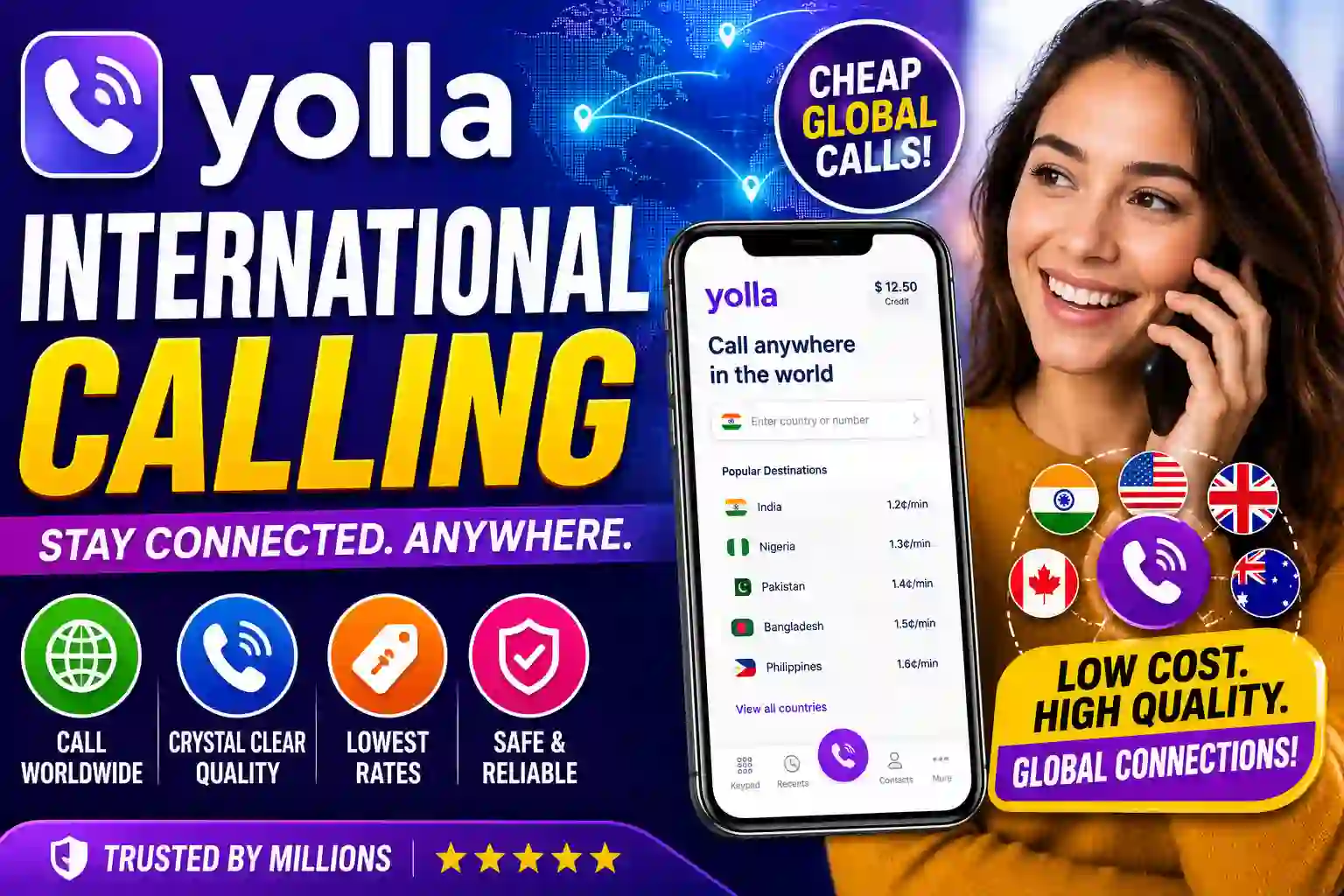
My uncle lives in Lagos. I’m based in Toronto. Before I found a decent calling app, every phone call between us was like a negotiation — who calls first, how long do we stay on, and which one of us racks up a $40 charge that month.
I’d been through the usual suspects — WhatsApp when the WiFi cooperates, Skype (which somehow still exists), and Google Voice for US calls. But nothing quite solved the problem of calling people who don’t have smartphones, don’t have great internet, or just have a regular SIM-based number that they pick up the old-fashioned way.
That’s when I stumbled onto Yolla. And honestly? It wasn’t love at first sight. But after about four months of using it across three countries, I have a pretty clear picture of when it works brilliantly and when it doesn’t.
Let me walk you through what I actually found.
What Yolla Actually Is (And What It Isn’t)
First, let’s clear up a common misconception. Yolla is not a messaging app. It doesn’t replace WhatsApp or Telegram. It won’t let you send voice notes or share your location.
What it does, and does specifically, is let you make cheap phone calls from your smartphone to any regular phone number in the world — landlines, mobile phones, everything. The person on the other end doesn’t need to download anything. They don’t need internet. They just get a call, same as any other call.
“The people you call require neither the Yolla mobile app nor a smartphone. Any device made for phone calls will accept a call from Yolla.”
That single feature is what makes it genuinely useful for a specific kind of person: expats calling elderly family back home, travelers dialing hotel reservation lines, remote workers making business calls abroad without triggering international roaming charges.
How Yolla Works — The Simple Version
It runs over your internet connection (WiFi or mobile data). You load credits into your Yolla account, dial a number through the app, and Yolla converts that into a regular phone call to the recipient. No special setup on their end. No weird dial-in codes.
The part I appreciated from day one: Yolla shows you the rate per minute before you hit dial. There’s no vague “this call may cost more in certain areas” disclaimer — you see the exact price, tap the button, and you’re charged exactly that. No connection fees tacked on after, no rounding up to the next minute (in my experience).
Here’s a quick look at how to get set up:
-
Download the app Available on both iOS and Android. Takes about 2 minutes to install and register with your email or phone number.
-
Add credits to your account You can load via credit card, PayPal, or a few regional payment methods. Minimum top-up is typically around $5, which goes a surprisingly long way at $0.04–$0.10/min rates.
-
Search for the country you’re calling The app shows you the current rate before you even type the number. Nigeria mobile? India landline? US cell? It’s all listed.
-
Dial and call Enter the number including the country code and tap call. That’s genuinely it. The call connects via your internet, usually within a few seconds.
-
Watch your balance The app shows your remaining credit in real time during the call. Set a low-balance alert so you’re not cut off mid-conversation.
Always use a stable WiFi connection for the best call quality. On mobile data, calls sometimes drop or echo on weaker 3G signals. If you’re calling someone important — a bank, a doctor, a government office — get on WiFi first.
My Real Experience — The Good, The Frustrating, and The Unexpected
I started using Yolla primarily to call Nigeria and the UK. The UK calls were almost flawless from the start — clear audio, minimal delay, consistent connection. Nigeria was more of a mixed bag, which isn’t entirely Yolla’s fault (network infrastructure on the receiving end plays a role), but still something to know going in.
One thing I genuinely didn’t expect: calling landlines worked better than I thought it would. My uncle doesn’t have the greatest smartphone, but his home landline? Picked up Yolla calls perfectly every time. That’s actually rare — a lot of VoIP apps struggle with landline quality.
A Trustpilot review I came across from March 2026 summed up a common experience pretty well — someone who’d been living abroad for four years praised Yolla for helping them sort out a hotel booking issue in Armenia where the hotel had no email or chat, and calling their landline through Yolla was the only option that worked. That matches my experience exactly. Yolla shines in exactly those moments where you genuinely need to reach a real phone and alternatives like WhatsApp simply won’t cut it.
The Subscription Trap
Here’s the thing I wish someone had warned me about. Yolla has a pay-per-call credit system (which I’ve described above), but they also offer subscription packages — bundled minutes for a monthly fee. These can be great value if you call frequently. But there’s a gotcha.
The “auto-renewal” checkbox is checked by default when you activate a minutes package. If you forget about it or don’t use the minutes regularly, you’ll get charged again next month automatically. I’ve seen multiple App Store reviews where people were frustrated about being billed repeatedly for this. The fix is simple — uncheck auto-renewal during checkout or go to your profile and cancel it — but Yolla could do a much better job making this obvious.
When activating a minutes package, auto-renewal is enabled by default. If you don’t want recurring charges, go to Home → Profile → Subscriptions and toggle it off after purchase. Don’t assume it’s one-time.
Who Yolla Is Actually For
After using this app for months, I’d say there are a few types of people for whom Yolla makes a lot of sense:
- Expats and immigrants who call family back home regularly, especially when those family members are on regular (non-internet) phones.
- Frequent international travelers who need to call hotels, airlines, car rentals, or local services in another country without using their carrier’s expensive roaming rates.
- Small business owners making international client or vendor calls on a budget — the per-minute transparency helps with expense tracking.
- People with no credit cards who still need to make international calls — Yolla lets friends top up each other’s accounts, which is genuinely useful.
On the flip side, if everyone you call is already on WhatsApp or FaceTime and they have reliable internet, you probably don’t need Yolla at all. It’s solving a specific problem, not a general-purpose communication tool.
Yolla vs. the Competition in 2026
| App | Calls Non-App Users? | Starting Rate | No Hidden Fees? | Best For |
|---|---|---|---|---|
| Yolla | Yes | $0.04/min | Yes | Calling regular phones abroad |
| Both need app | Free | Yes | Smart device to smart device | |
| Skype | Yes (SkypeOut) | ~$0.023/min | Connection fees vary | Business calls, desktop users |
| Google Voice | US only (free) | Free (US/CA) | Yes | US-based users calling Canada |
| Rebtel | Yes | $0.019/min | Monthly fee applies | High-volume callers |
Skype is technically cheaper per minute in some corridors, but Yolla’s complete lack of connection fees changes the math on short calls. If you’re making a 3-minute call, a $0.15 connection fee (which Skype sometimes charges) wipes out any per-minute advantage. Yolla wins on short, frequent calls.
Yolla eSIM — The New Addition Worth Knowing About
Something that’s grown a lot since I first started using the core calling app: Yolla now has a separate eSIM app for travel data. If your phone supports eSIM (iPhone XR and later, many modern Androids), you can buy a data plan for 100+ countries through the Yolla eSIM app and activate it in minutes without swapping a physical SIM.
The setup is genuinely painless. You pick a country or region, buy a plan, and they email you a QR code. You scan it, follow the on-screen steps, and you have local-rate data in a foreign country. I used this in Istanbul last year and paid a fraction of what my Canadian carrier wanted for roaming.
A word of caution: the eSIM app and the calling app are separate products. Your calling credits don’t transfer, and the eSIM doesn’t support calls or SMS — it’s data only. Use it alongside WhatsApp or the calling app, not instead of it. If you need to make voice calls, you’ll still want the main Yolla calling app with loaded credits.
Before buying a Yolla eSIM plan, confirm your device is eSIM-compatible and carrier-unlocked. iPhones purchased on contract with certain carriers may be locked and won’t accept eSIMs from other providers. Check in Settings → General → About → Available SIM on iOS.
Mistakes I Made (So You Don’t Have To)
Mistake 1: Calling without WiFi on a bad data signal. My first call to Lagos was on a shaky 3G connection. The audio cut in and out, and I burned through 8 minutes of credit to have a 3-minute conversation. Always check your signal first.
Mistake 2: Not monitoring the credit balance closely. Yolla doesn’t warn you very aggressively when you’re low on credits. I got cut off during an important call because my balance hit zero. Go into settings and enable low-balance notifications — it’s buried in the account settings but absolutely worth finding.
Mistake 3: Confusing the eSIM app with the calling app. I downloaded the eSIM app thinking it was an upgrade to the regular calling app. They’re different products. Read the app descriptions before you download.
Mistake 4: Assuming app-to-app calls use my credit. They don’t — calls between two Yolla users are completely free. I was loading extra credits for calls to my friend who also had the app, which was entirely unnecessary. Check if the person you’re calling has Yolla first.
Pros and Cons — Straight Up
What Works Well
- No hidden charges — rate shown before you call
- Works on regular phones, no app needed on the other end
- Up to 90% cheaper than carrier international rates
- Yolla-to-Yolla calls are free
- Mobile top-up for 148 countries
- Decent call quality on good internet
- Easy credit top-up and gifting
- Responsive customer support (mostly)
What Needs Improvement
- Auto-renewal is enabled by default on subscriptions
- Call quality varies a lot by destination
- eSIM is a separate app — confusing for new users
- Rare double-billing complaints in App Store reviews
- No chat or messaging within the app
- Low-credit alerts aren’t prominent enough
Is the Call Quality Actually Good?
Honestly? It depends heavily on two things: your internet speed and the destination country.
Calls to the UK, US, Australia, and most of Western Europe have been consistently clear in my experience — comparable to a regular cellular call. Calls to parts of Africa and South Asia are more variable. Sometimes crystal clear, sometimes choppy. That’s not a Yolla-specific problem; it reflects the local telecom infrastructure on the receiving end.
One Trustpilot reviewer from August 2025 noted that the audio occasionally fades in and out, which matches what I’ve experienced on certain routes. It’s worth setting expectations accordingly — this is VoIP-based calling, not fiber-to-fiber perfection, and for the price you’re paying, it’s genuinely impressive on most routes.
Final Verdict
Yolla does exactly what it says it will: cheap, transparent international calls to any phone, anywhere. If you regularly call people who aren’t on messaging apps — or you need to make business calls abroad without roaming charges — it’s one of the best tools out there for the money. Just watch the auto-renewal settings, use WiFi when you can, and go in with realistic expectations on call quality in less-connected regions.
The honest summary is this: Yolla isn’t flashy. It won’t impress you with a gorgeous interface or a dozen features. But it solves a specific, real problem — reaching people on regular phones without being gouged on international rates — and it solves it reliably.
For me, that’s worth keeping on my phone. And given how many people I’ve recommended it to who’ve stuck with it, I’m clearly not alone in that assessment.
If you’re on the fence, just download it, load $5, and make one call. You’ll know within two minutes whether it fits your situation.